
The platform
Everything an AI agent needs to finish the job, in one platform.
Talk to people where they are, answer from what you know, act in your systems, bring in your team, and measure what got done.
Sample data from a made-up shop.
Customer operations
Serve your customers
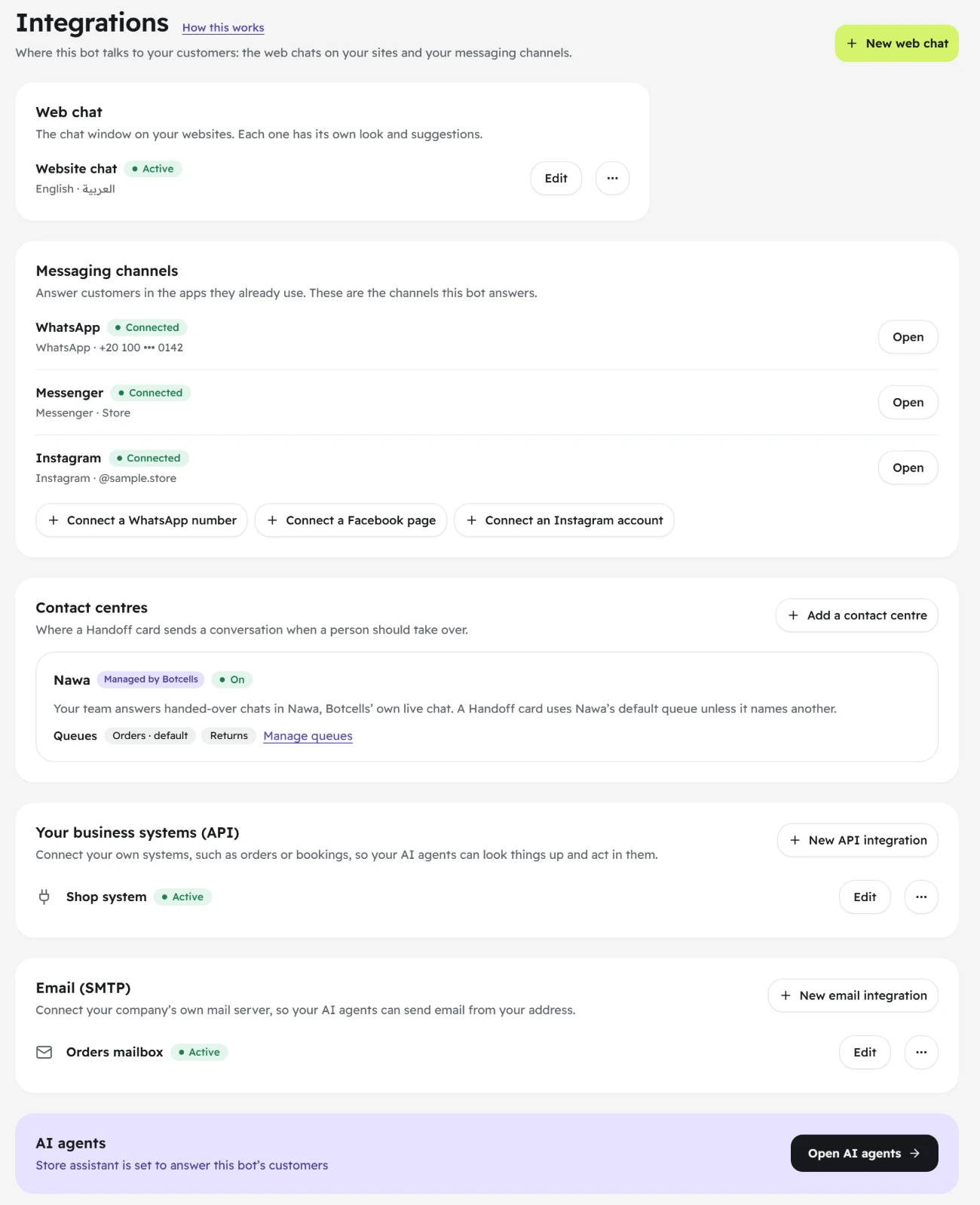
One AI agent answers on WhatsApp, Messenger, Instagram and your website, in Arabic and English, and finishes what the customer asked for.
AI agents for your customers
Your AI agent answers in Arabic and English, follows your rules, and finishes the request.
Actions in your systems
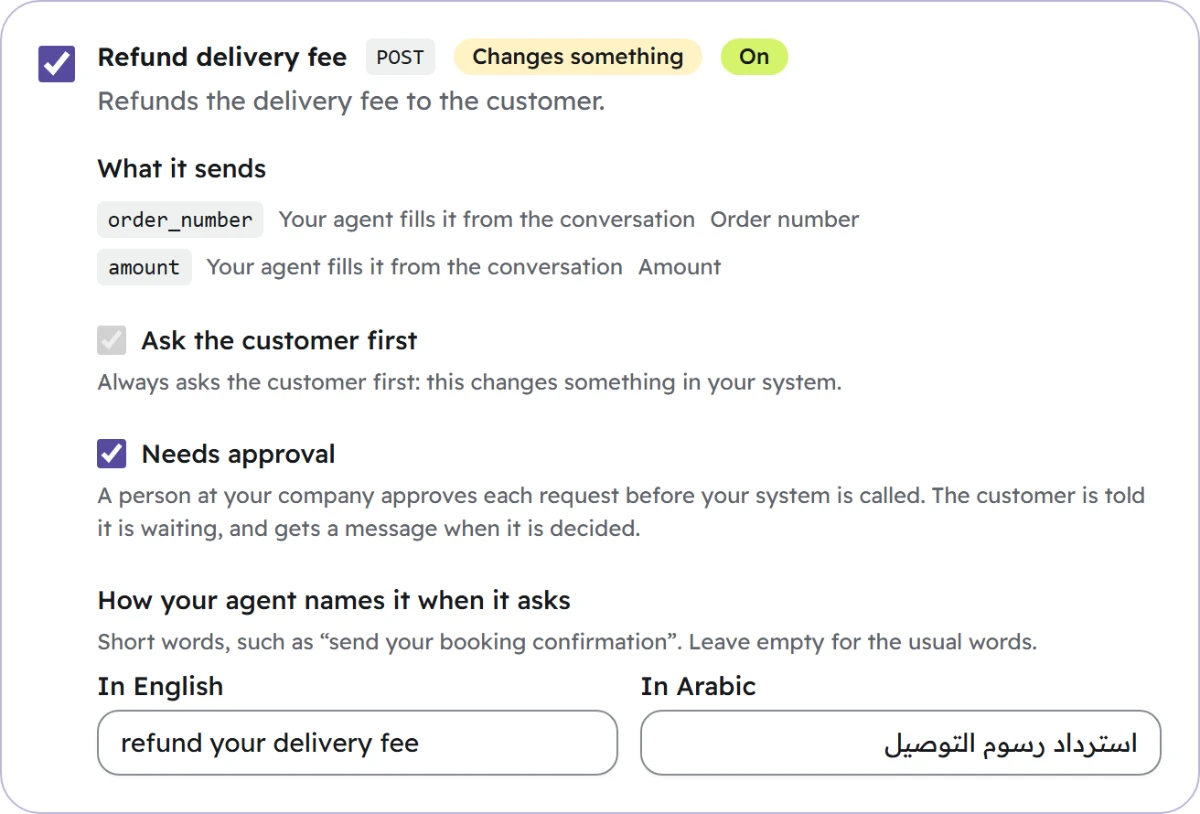
In a customer's conversation, the agent looks things up and makes changes in your CRM, ERP or booking system, using only the APIs you approve.
WhatsApp, Messenger and Instagram
Meet customers on the apps they already use, with one agent behind all of them.
Web chat for your website
A chat for your site, in your colours, in Arabic and English, with buttons, forms and files.
Secure web chat for signed-in customers
Signed-in customers keep their own history, and only your sites can show your chat.
Rich answers
Buttons, galleries, maps, forms, menus and receipts instead of walls of text.
WhatsApp campaigns
Reach customers first with reminders, offers and updates.
Scheduled campaigns and template management
Plan a send for later, and manage your WhatsApp templates in one place.
Follow-up after silence
One polite nudge when a customer stops replying.
Chat inside your mobile app
The same chat inside your own iOS or Android app.
Voice AI, coming soon
Agents that answer the phone in Arabic and English.
Internal operations
Work inside your company
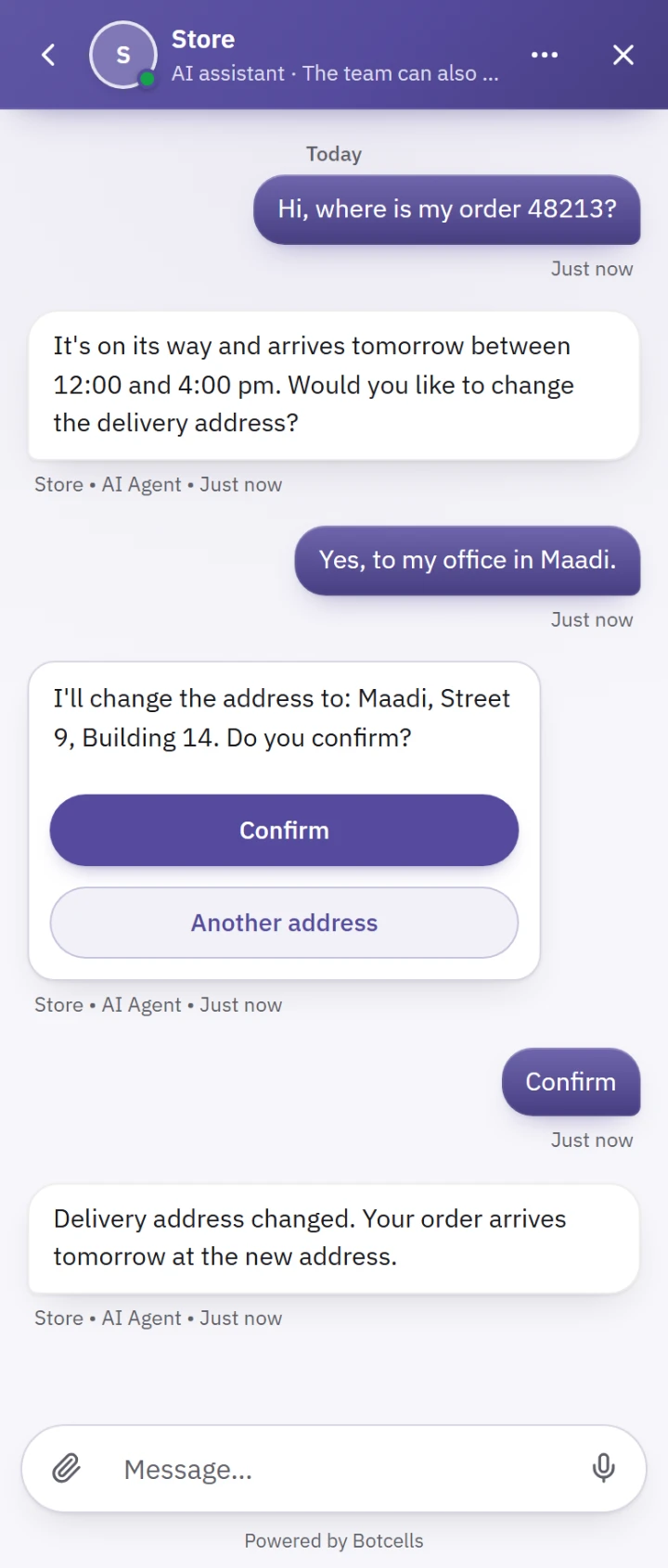
Your staff portal or any system of yours sends a task to an AI agent and gets a checked answer back, from your files and records.
AI agents for your systems (Agents API)
Your systems and staff tools send a task through a secure key and get a checked answer back, ready for them to act on.
Integration Hub
Connect a system once, with its login kept encrypted, then reuse it in any agent or flow.
Ready-made connectors
Connect common CRMs, ERPs and ticketing tools without setting up an API yourself.
Staff requests the agent completes
For a staff request, the agent makes the change in your systems or sends it for approval itself.
Agents that start work on their own
Work that starts from a schedule or a system event, with no message needed.
Your team
Your team, in the loop
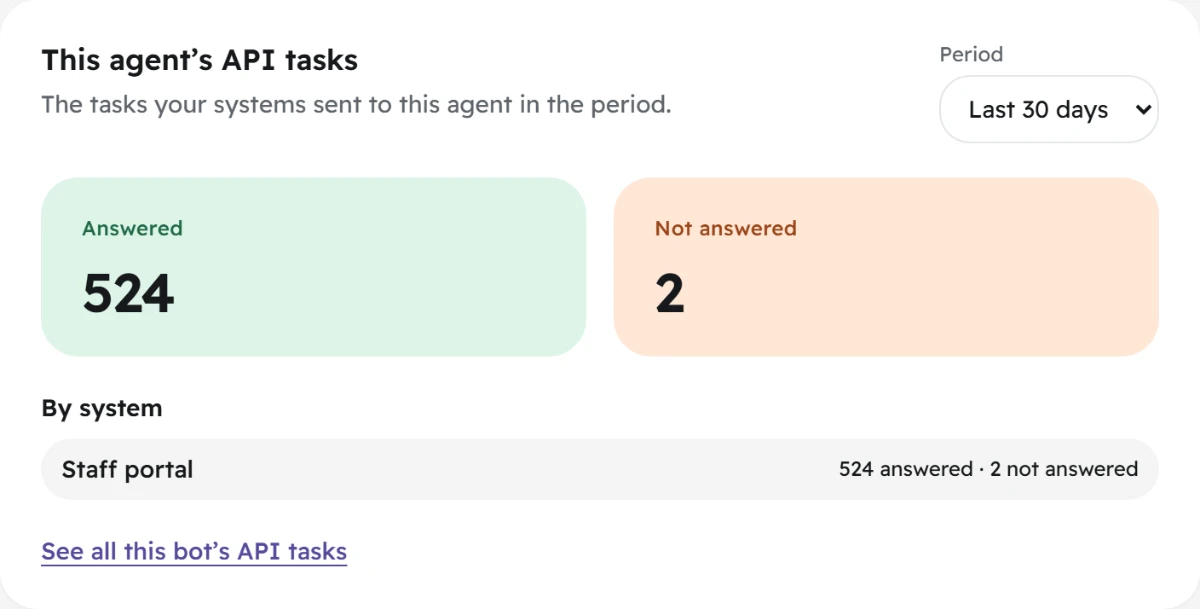
When a person should step in, your team takes over in Nawa with the whole conversation, or it goes to the contact centre you already run.
Live agents in Nawa
Your team takes over in the same conversation, with transfers, saved replies, welcome messages and voice notes.
Handover with the whole conversation
The person who steps in sees everything that was said.
Hand over to your contact centre
Already run a contact centre? Send conversations to it, set up from your dashboard.
Works withGenesysCiscoNovelVox CX InfinityTiledesk
Why the AI handed over, and a summary
Your live agent sees the reason and a short summary before replying.
Supervisor view and suggested replies
Team leads watch the queue live, and live agents get suggested replies.
Build
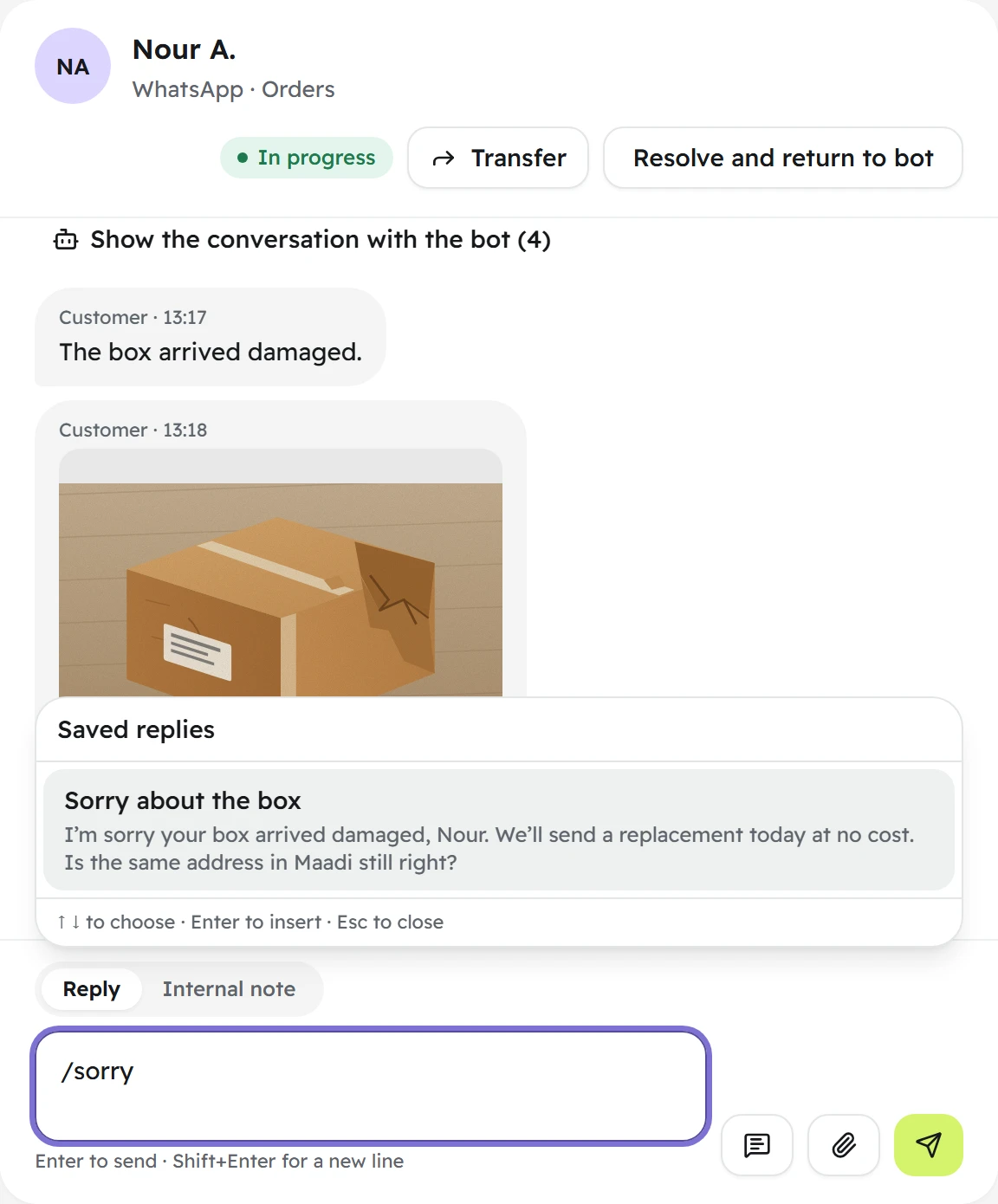
Build agents and flows
Set up AI agents and flows without code, let them answer from your own files, and find a guide on every page.
Guided AI agent set-up
Create an AI agent in a few friendly steps, with tone, language and templates. No code.
Answers from your files
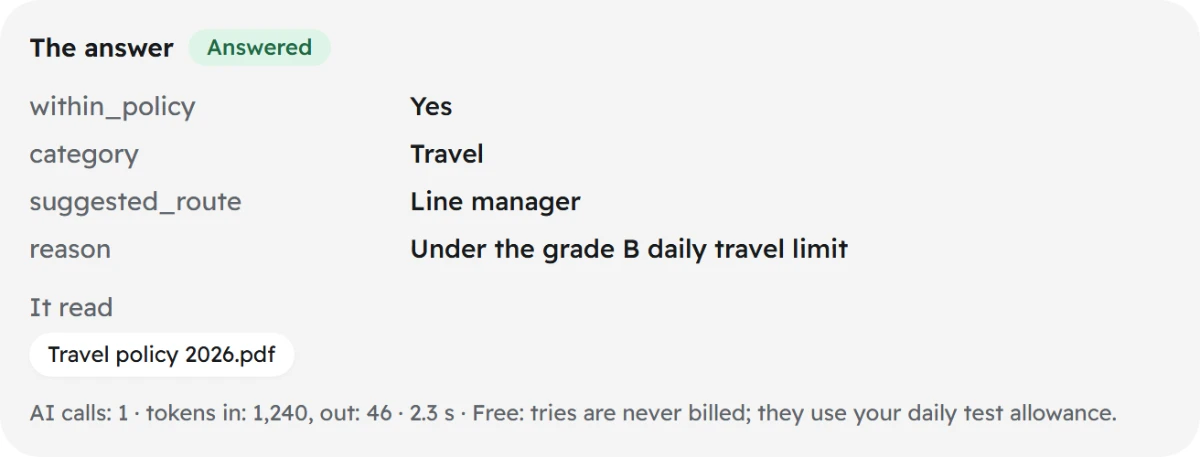
The agent answers from your PDF and Word files: price lists, policies and guides.
Showing the source to customers
Customers can see which file an answer came from.
Flows, keywords and FAQs
Fixed steps where you need certainty: forms, menus, keyword answers and FAQs.
The new Bot builder
Build flows on a clear visual canvas.
AI and flows together
The agent starts a flow, the flow hands back, and the AI fills a form that the customer confirms.
Help inside the product
A guide on every page, in Arabic and English.
Excel, CSV and website pages as knowledge
More kinds of knowledge, kept in step with your website.
Control
Stay in control
Your rules always apply, sensitive actions wait for a yes, and you try every change before customers see it.
Guardrails
Your rules always apply: no made-up promises, and privacy and safety checks.
Approvals before actions
Sensitive actions wait for the customer's confirmation or your manager's approval.
Test chat
Talk to your agent privately before customers can reach it.
Test cases, versions and rollback
Save test conversations, publish a new version, and roll back in one step.
Measuring and running
Measure it and run it
See every conversation and what got done, keep AI spending in check, and choose where Botcells runs.
Every conversation in one place
Search and read any conversation.
Analytics of what got done
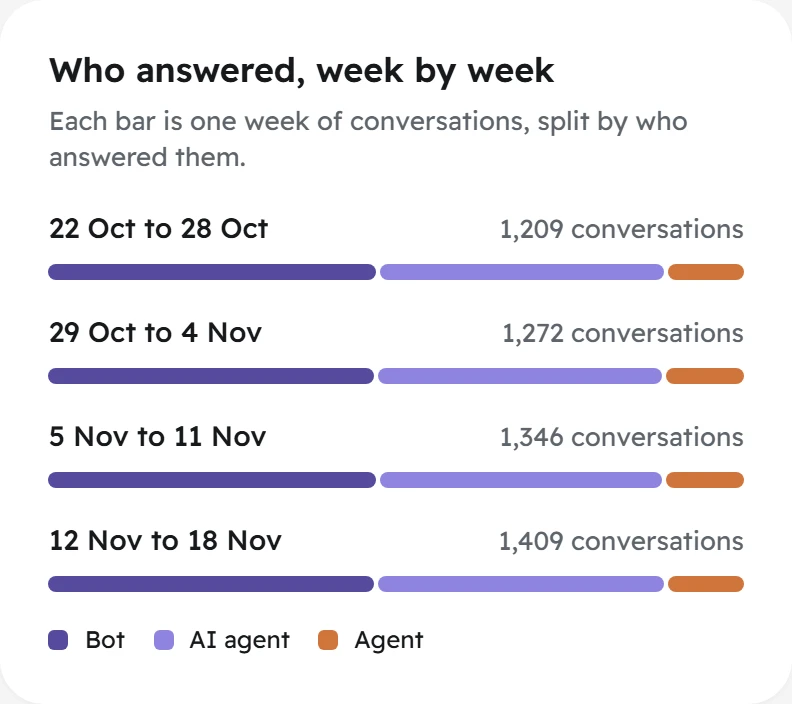
Figures that count finished work, not only messages.
AI usage and cost
See what each agent used, and set spending limits.
Team roles and sign-in
Each teammate sees only what their role needs.
Activity log
A record of who changed what.
Plans for every size
From a free start to Enterprise. We talk prices in the discovery session.
Botcells' cloud
Run on our cloud, with nothing to install.
Agent quality and knowledge gaps
Quality per agent, and the questions your files don't answer yet.
Private cloud and on-premises
Run inside your own network, planned with you as a project.
Enterprise controls
Single sign-on, data masking and retention settings.
Start with one piece of work. We'll build the path with you.
Order questions, expense checks, bookings: tell us the one you want done, and we'll call you back within one working day.